Whether you are writing a blog post, an essay, a social media caption, a product description, or an email, word count matters. College essays have strict word limits, blog posts need SEO-friendly lengths, social media platforms cap character counts, and job applications call for concise cover letters.
Counting words by hand is impractical for anything longer than a sentence. A word counter tool gives you instant, accurate metrics: word count, character count, sentence count, paragraph count, reading time, and speaking time. You get all of it in one pass, without installing anything.
What Is a Word Counter?
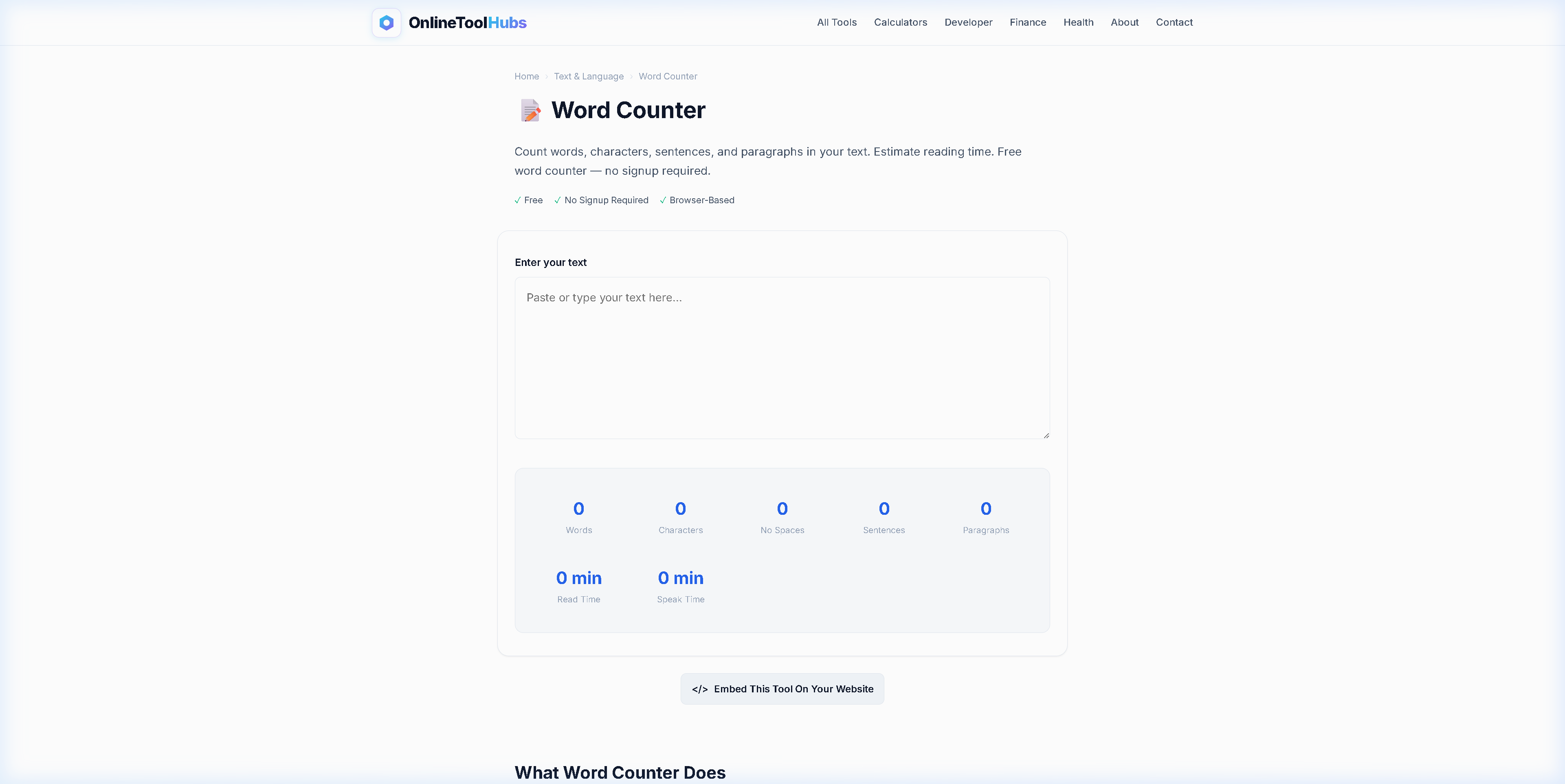
A word counter is a text analysis tool that processes any block of text and returns detailed statistics about its composition. The Word Counter on OnlineToolHubs provides:
- Word count: the total number of words
- Character count: with and without spaces
- Sentence count: based on sentence-ending punctuation
- Paragraph count: based on line breaks
- Reading time: estimated minutes at average reading speed (200 WPM)
- Speaking time: estimated minutes at average speaking pace (130 WPM)
All processing happens in your browser. Your text is never sent to any server.
Who Needs a Word Counter?
Writers & Bloggers
Blog posts perform best at specific word counts for SEO. A word counter helps you hit target lengths (e.g., 1,500-2,500 words for long-form content, 300-500 for product descriptions).
Students & Academics
Essays, dissertations, and assignments come with strict word limits. Going over or under can cost you marks.
Social Media Managers
Every platform has different character limits:
| Platform | Character Limit |
|---|---|
| Twitter / X | 280 characters |
| Instagram caption | 2,200 characters |
| LinkedIn post | 3,000 characters |
| Facebook post | 63,206 characters |
| Meta description (SEO) | 155 characters |
| Google Ads headline | 30 characters |
Email Marketers
Subject lines perform best under 60 characters, and preview text should stay under 90. The word counter’s character-count feature makes checking these limits easy.
Public Speakers
Need to fill a 10-minute speaking slot? At 130 WPM, that is roughly 1,300 words. The speaking time estimate helps you calibrate your script.
How to Use the Word Counter: Step-by-Step
Step 1: Paste or Type Your Text
Open the Word Counter on OnlineToolHubs and paste your content into the text area. You can also type directly.
Step 2: Read the Stats
All metrics update in real time as you type or paste. There is no “Count” button, and the results appear instantly.
Step 3: Edit and Refine
Use the live statistics to trim your text to fit a word limit, add content to reach a target length, or check character counts against platform limits.
Word Count Benchmarks for Common Content Types
| Content Type | Recommended Word Count | Why |
|---|---|---|
| Tweet / X post | 20-40 words | 280-character limit |
| Instagram caption | 50-150 words | Engagement drops after 125 words |
| Email subject line | 6-10 words | Under 60 characters for full display |
| Product description | 100-300 words | Concise but informative |
| Blog post (short) | 600-1,000 words | Quick reads, news updates |
| Blog post (SEO) | 1,500-2,500 words | Best for Google ranking |
| Pillar page | 3,000-5,000 words | Comprehensive topic coverage |
| College essay | Per assignment (250-5,000) | Strict limits vary by institution |
| Resume | 400-800 words | 1-2 pages |
| Cover letter | 250-400 words | Single page |
Word Counter vs. Built-in Tools
| Feature | OnlineToolHubs | Google Docs | Microsoft Word | Notepad |
|---|---|---|---|---|
| Word count | ✅ | ✅ | ✅ | ❌ |
| Character count (with/without spaces) | ✅ | ✅ | ✅ | ❌ |
| Sentence count | ✅ | ❌ | ✅ | ❌ |
| Reading time | ✅ | ❌ | ❌ | ❌ |
| Speaking time | ✅ | ❌ | ❌ | ❌ |
| No install needed | ✅ | ⚠️ Browser | ❌ Install | ✅ Pre-installed |
| Works on any device | ✅ | ✅ | ❌ Desktop | ❌ Windows only |
| Data stays private | ✅ In-browser | ❌ Cloud | ✅ Local | ✅ Local |
Tips for Managing Word Count
-
Set your target before writing. Knowing you need 1,500 words for an SEO blog post helps you outline appropriately.
-
Use reading time for content strategy. A 5-minute read (about 1,000 words) works for newsletters, and a 10-minute read (2,000 words) works for in-depth guides.
-
Watch character count for SEO. Title tags should be under 60 characters and meta descriptions under 155. The word counter shows both.
-
Bookmark it. If you write regularly, keep the word counter bookmarked for instant access.
Try the Word Counter Now: Free, No Signup Required
Whether you are hitting an essay word limit, checking a tweet’s character count, or estimating a speech duration, you get all your text statistics in one place.
Use the Free Word Counter on OnlineToolHubs. No account is needed, it counts in real time, and it runs entirely in your browser.
Frequently Asked Questions
How do I count words in a text online?
Paste or type your text into the Word Counter on OnlineToolHubs and it instantly displays word count, character count, sentence count, paragraph count, and estimated reading time.
Does the word counter work for essays and blog posts?
Yes. The tool handles any text length from a single sentence to a full dissertation, providing all the metrics writers need.
What is the average reading time per word?
The average adult reads at approximately 200-250 words per minute. The tool uses 200 WPM for reading time and 130 WPM for speaking time.
Can I use this word counter for social media character limits?
Yes. The tool shows character count with and without spaces, perfect for checking Twitter/X (280 chars), Instagram (2,200 chars), meta descriptions (155 chars), and more.