Most developers have stared at a wall of unformatted JSON from an API response, a config file, or a database export, trying to find one missing comma or unclosed bracket. Raw JSON without indentation is nearly impossible to read, and a single syntax error can break your whole application.
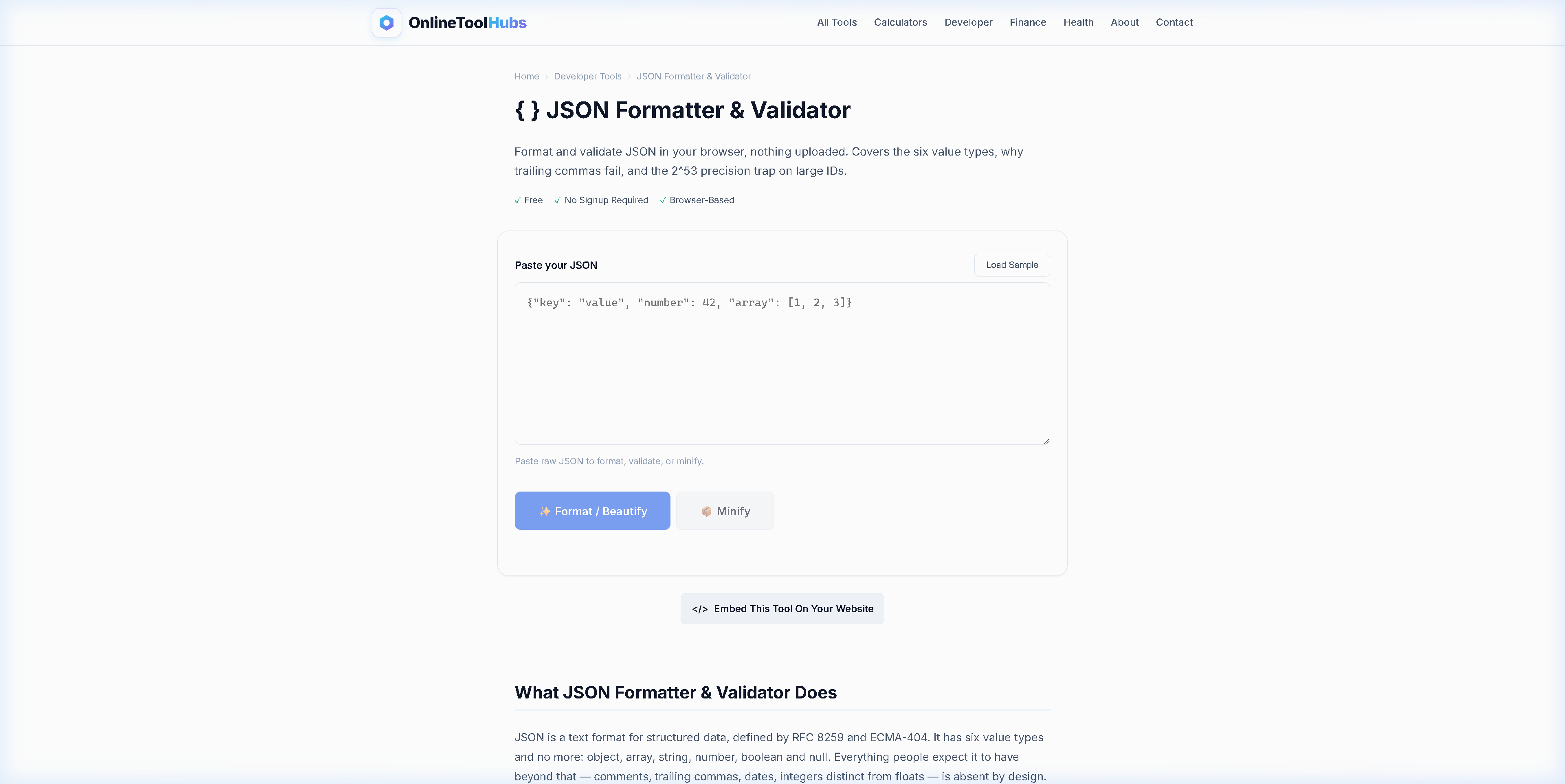
A JSON formatter and validator takes unreadable JSON, beautifies it with proper indentation and syntax highlighting, and shows exactly where parsing errors occur. This guide covers what JSON formatting and validation do, walks through common JSON errors, and points you to a free tool that formats, validates, and debugs JSON online.
What Is a JSON Formatter & Validator?
JSON (JavaScript Object Notation) is the most widely used data interchange format on the web. APIs return it, configuration files use it, databases store it, and front-end applications consume it. JSON is simple, but its syntax rules are strict, and breaking even one of them makes the whole document invalid.
A JSON formatter takes raw, minified, or messy JSON and outputs it with:
- Proper indentation (2 or 4 spaces)
- Syntax highlighting (strings, numbers, booleans, nulls in different colors)
- Collapsible/expandable sections for nested objects
A JSON validator checks whether the JSON is syntactically correct and, if it is not, tells you where the error is, down to the character position.
The JSON Formatter & Validator on OnlineToolHubs does both at once and runs in your browser, so your data never leaves your machine.
Why Developers Need a JSON Formatter
Readability
Minified JSON from an API response looks like this:
{"users":[{"id":1,"name":"Alice","email":"alice@example.com","roles":["admin","editor"]},{"id":2,"name":"Bob","email":"bob@example.com","roles":["viewer"]}]}Formatted JSON looks like this:
{
  "users": [
    {
      "id": 1,
      "name": "Alice",
      "email": "alice@example.com",
      "roles": ["admin", "editor"]
    },
    {
      "id": 2,
      "name": "Bob",
      "email": "bob@example.com",
      "roles": ["viewer"]
    }
  ]
}
With the formatted version you can scan the structure, spot nested relationships, and find specific values in seconds.
Error Detection
Common JSON errors include:
- Trailing commas:
{"name": "Alice",}(invalid in JSON, valid in JavaScript) - Single quotes:
{'name': 'Alice'}(JSON requires double quotes) - Missing commas:
{"name": "Alice" "age": 30} - Unescaped characters: Newlines or tabs inside strings
- Comments: JSON does not support
//or/* */comments
A good validator catches all of these and points at the exact character where parsing failed.
Data Privacy
Many JSON formatters are web-based tools that send your data to a server for processing. If you are formatting API responses that contain tokens, passwords, or user data, that is a security risk. Browser-based formatters like OnlineToolHubs process everything locally, and nothing is transmitted.
How to Use the JSON Formatter: Step-by-Step
Step 1: Paste Your JSON
Copy your raw JSON from an API response, a log file, a database export, or any other source, and paste it into the input area.
Step 2: Click Format
The tool beautifies the JSON with proper indentation and syntax highlighting. If the JSON is valid, you see the formatted output. If it is invalid, the tool highlights the exact error location.
Step 3: Use the Output
- Copy the formatted JSON to use in your code or documentation
- Minify it for production deployment (strips all whitespace)
- Download it as a
.jsonfile - Inspect the tree view to navigate nested structures
Common JSON Errors and How to Fix Them
| Error | Invalid JSON | Fixed JSON |
|---|---|---|
| Trailing comma | {"a": 1, "b": 2,} | {"a": 1, "b": 2} |
| Single quotes | {'a': 1} | {"a": 1} |
| Missing quotes on keys | {a: 1} | {"a": 1} |
| Comments | {"a": 1 // comment} | {"a": 1} |
| Unquoted string value | {"a": hello} | {"a": "hello"} |
| NaN / Infinity | {"a": NaN} | {"a": null} |
JSON Formatter vs. IDE Extensions vs. Command Line
| Feature | OnlineToolHubs | VS Code Extension | jq (CLI) |
|---|---|---|---|
| No install required | ✅ | ❌ Must install | ❌ Must install |
| Error with line number | ✅ | ✅ | ⚠️ Cryptic errors |
| Works on any device | ✅ | ❌ Desktop only | ❌ Terminal only |
| Minify option | ✅ | ✅ | ✅ |
| Data stays local | ✅ | ✅ | ✅ |
| Shareable (no setup) | ✅ | ❌ | ❌ |
| Tree view navigation | ✅ | ⚠️ Plugin needed | ❌ |
The online formatter suits quick one-off tasks, debugging API responses, and machines where you cannot install software. For daily development, use it alongside your IDE’s built-in formatter.
Use Cases for JSON Formatting
- API debugging: Format and inspect REST API responses
- Configuration files: Validate
package.json,tsconfig.json,.eslintrc.json - Database exports: Make MongoDB or Firebase exports readable
- Log analysis: Format structured log entries for investigation
- Documentation: Beautify JSON examples for technical docs
- Code reviews: Validate JSON payloads in pull requests
- Data migration: Inspect and validate data before importing
Try the JSON Formatter Now: Free, No Signup Required
If you are debugging an API response, validating a config file, or preparing JSON for documentation, this tool formats, validates, and minifies in one step.
Use the Free JSON Formatter & Validator on OnlineToolHubs. No account needed, it runs in your browser, and your data never leaves your device.
Frequently Asked Questions
How do I format JSON online?
Paste your raw JSON into the JSON Formatter on OnlineToolHubs and it will instantly beautify it with proper indentation, syntax highlighting, and collapsible tree view. It runs in your browser so your data stays private.
What is the difference between JSON formatting and validation?
JSON formatting (beautifying) adds indentation and line breaks for readability. JSON validation checks whether the syntax is correct: missing commas, unclosed brackets, trailing commas, and so on. The OnlineToolHubs tool does both at once.
Is it safe to paste API keys or tokens into an online JSON formatter?
The JSON Formatter on OnlineToolHubs runs entirely in your browser, and your data is never sent to any server. That makes it safe for sensitive data like API responses, tokens, and configuration files.
Can I minify JSON online?
Yes. The tool includes a minify option that strips all whitespace and line breaks, producing the most compact JSON for production use.