Weak passwords are the number one cause of account breaches. “123456,” “password,” “qwerty,” and “admin” still appear on lists of the most commonly used passwords every year. People reuse passwords across accounts, build them from personal information (birthdays, pet names, addresses), and pick short, predictable strings because strong passwords are hard to remember.
A password generator creates truly random, cryptographically secure passwords that no human could guess and no computer could feasibly brute-force. The Password Generator on OnlineToolHubs uses your browser’s built-in Web Crypto API to generate passwords. They are never transmitted to any server, never stored, and never logged.
Why You Need a Password Generator
The Problem With Human-Created Passwords
People are bad at creating random passwords. We default to:
- Dictionary words (“sunshine,” “monkey,” “dragon”)
- Keyboard patterns (“qwerty,” “asdfgh,” “123456”)
- Personal information (“John1985,” “fluffy123”)
- Simple substitutions (“p@ssw0rd,” which crackers check first)
Even when we try to be creative, we follow predictable patterns that password-cracking algorithms exploit.
The Math of Password Strength
| Password Type | Example | Possible Combinations | Time to Crack (10B guesses/sec) |
|---|---|---|---|
| 6 lowercase letters | ”abcdef” | 308 million | 0.03 seconds |
| 8 mixed case + numbers | ”Ab3dEf7h” | 218 trillion | 6 hours |
| 12 mixed + symbols | ”K#9mP@2xR!4n” | 4.7 × 10²³ | 1.5 million years |
| 16 mixed + symbols | ”aX#9kM@2pR!4nQ&7” | 4.5 × 10³¹ | 143 trillion years |
At that guess rate, a 6-character password falls in 0.03 seconds, while a 16-character one would take 143 trillion years.
How the Password Generator Works
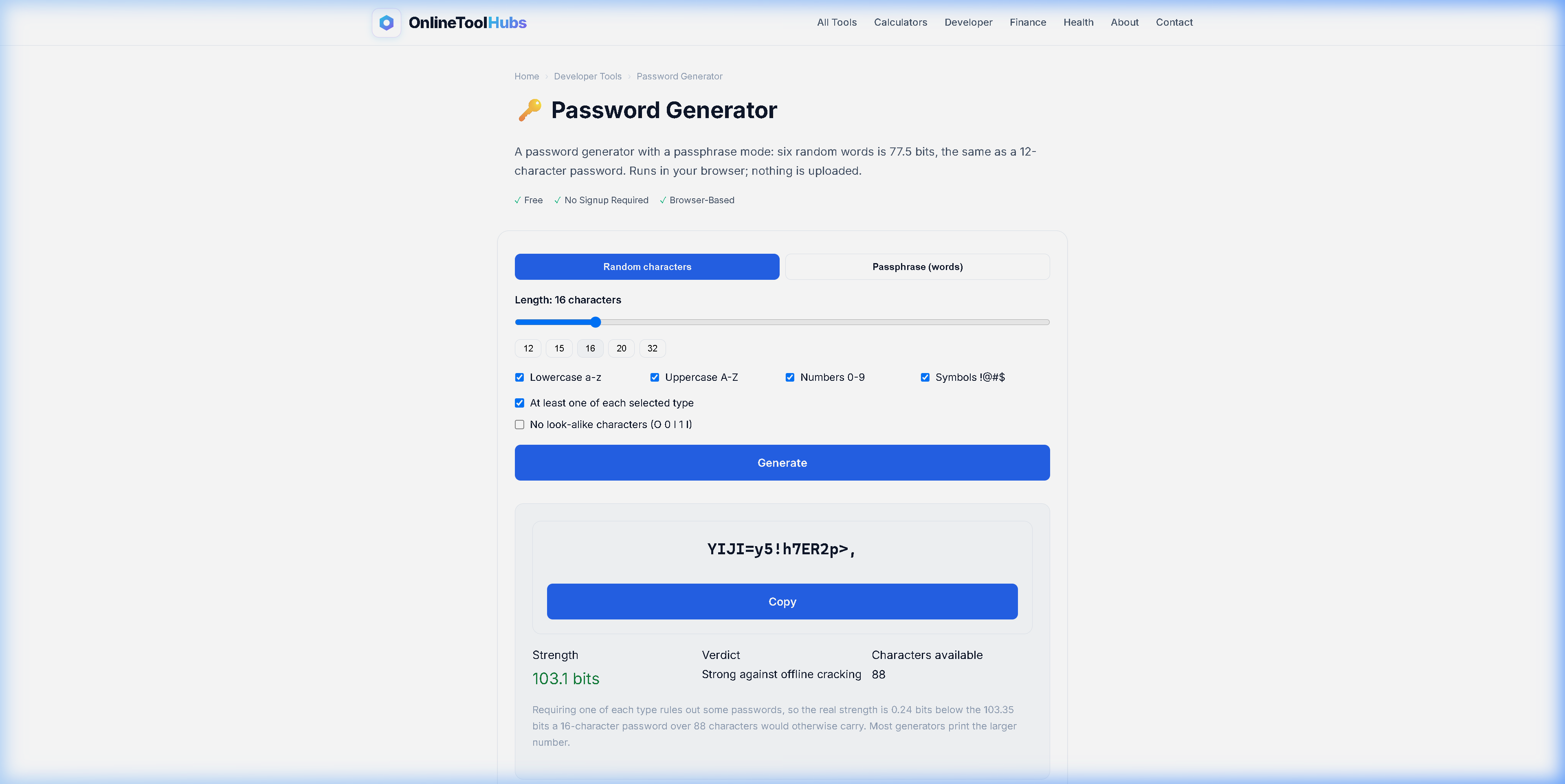
Step 1: Set Your Password Length
The default is typically 16 characters, which is more than enough for most accounts. For maximum security, use 20-24 characters.
Step 2: Choose Character Types
Select which character types to include:
- Uppercase letters (A-Z)
- Lowercase letters (a-z)
- Numbers (0-9)
- Symbols (!@#$%^&*…)
Including all four types maximizes the number of possible combinations.
Step 3: Generate
Click generate. The tool creates a cryptographically random password in your browser, instantly, using the Web Crypto API.
Step 4: Copy and Store
Copy the password and save it in a password manager (1Password, Bitwarden, KeePass, etc.). Do not try to memorize random passwords. That is what password managers are for.
What Makes OnlineToolHubs Different From Other Generators
Browser-Based Cryptographic Generation
The tool uses crypto.getRandomValues(), the same cryptographic random number generator used by banks, encryption libraries, and security software. Unlike Math.random(), which is predictable, it is a true cryptographic source.
Never Transmitted
Your password is generated, displayed, and copied entirely within your browser. There is no API call, no server request, and no analytics event that could capture it. You can check this in the network tab of your browser’s developer tools, where no requests appear.
Works on Any Device
The responsive interface runs on desktop, tablet, and phone, and all modern browsers support the crypto API.
Password Best Practices
-
Use a unique password for every account. If one account is breached, every other account that shares that password is compromised too.
-
Use a password manager. Tools like 1Password, Bitwarden, or KeePass store and auto-fill unique passwords for every site.
-
Enable two-factor authentication (2FA). Even a perfect password can be phished, and 2FA adds a second layer of protection.
-
Use at least 16 characters. Length matters more than complexity, and a 16-character random password is virtually uncrackable.
-
Never share passwords via email, text, or chat. If you need to share one, use your password manager’s sharing feature.
-
Change passwords on breached accounts immediately. Use Have I Been Pwned to check if your email has appeared in known data breaches.
Password Generator vs. Browser Built-in vs. Password Managers
| Feature | OnlineToolHubs | Chrome Built-in | 1Password/Bitwarden |
|---|---|---|---|
| Free | ✅ | ✅ | ⚠️ Free tier / Paid |
| Customizable length | ✅ | ⚠️ Limited | ✅ |
| Character type selection | ✅ | ❌ Fixed | ✅ |
| No account required | ✅ | ❌ Google account | ❌ Account required |
| Works outside browser | ✅ Any browser | ❌ Chrome only | ✅ Apps |
| Auto-save to vault | ❌ Copy manually | ✅ | ✅ |
| Cross-device sync | ❌ | ✅ | ✅ |
For the best workflow, generate passwords with the OnlineToolHubs tool for maximum customization, then save them in your password manager.
Try the Password Generator Now: Free, No Signup Required
Stop using “password123” and hoping for the best. Generate a cryptographically secure password in seconds. Your browser does all the work, and nothing is ever transmitted.
Generate Secure Passwords Free on OnlineToolHubs requires no account, runs on the Crypto API, and transmits nothing.
Frequently Asked Questions
How do I generate a strong password?
Use the Password Generator on OnlineToolHubs, set the length to 16+ characters, include all character types, and copy the result into your password manager.
Is it safe to use an online password generator?
The OnlineToolHubs generator runs entirely in your browser using the Web Crypto API. Passwords are never sent to any server, stored, or logged.
How long should a strong password be?
At least 16 characters. A 16-character password with mixed characters has approximately 10³¹ possible combinations.
What makes a password strong?
Length (16+), character variety (upper, lower, numbers, symbols), true randomness, and uniqueness per account.